
Lessons from the Epstein Files: How Sensitive Data Can Slip Through Manual Redaction


Lessons from the Epstein Files: How Sensitive Data Can Slip Through Manual Redaction
Introduction
Recent events surrounding the Jeffrey Epstein files have highlighted a critical challenge in document anonymization: even carefully redacted PDFs can fail to fully protect sensitive information. In many cases, visual black boxes may hide content on the surface, but the underlying text remains accessible. Copying, pasting, or even simple PDF manipulations can expose information that was thought to be secure.
This situation serves as a reminder for all organizations handling confidential data: manual redaction, while common, can leave hidden risks. In this blog, we explore why traditional redaction methods sometimes fail, the challenges of manual anonymization, and how automated solutions like Cleardox Redact can ensure true, secure anonymization of sensitive documents.
Insights in this post are based on the article: “Some Epstein file redactions are being undone with hacks.”
January 27 - 2026, Copenhagen

Source: https://www.theguardian.com/us-news/2025/dec/23/epstein-unredacted-files-social-media
The challenge of manual redaction - first approach
1. The Black Box Illusion: Understanding Manual Redaction Risks
Many teams handling sensitive information rely on PDF editors for redaction. While these tools can be used correctly and safely if you know the right procedures, incorrect use can significantly increase the risk of data leaks.
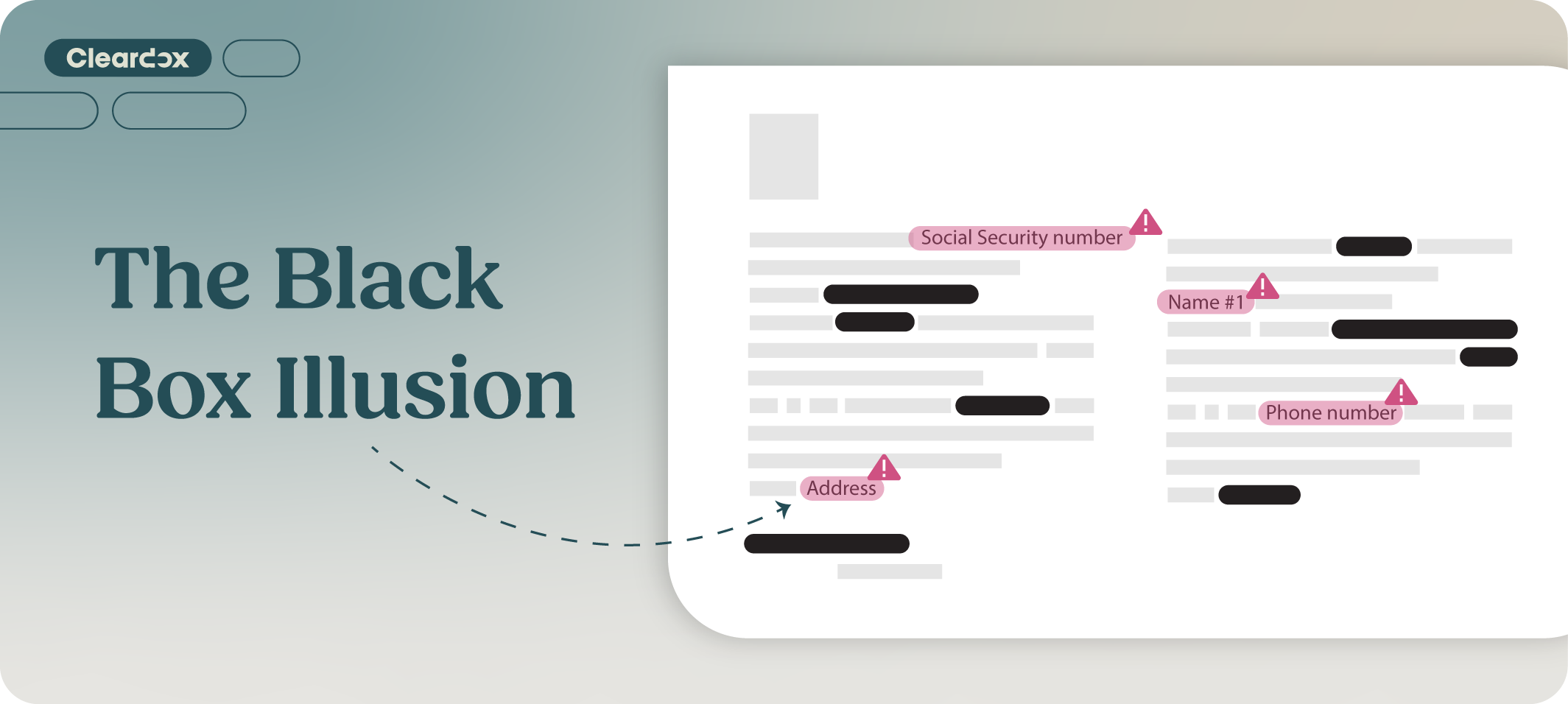
Using a PDF program or a text editor like Adobe or Word typically involves manually identifying all sensitive data - a very cumbersome task - and then placing a black box over the content. While this appears visually effective, the underlying text often remains embedded in the file.
This creates a dangerous situation: the hidden text can still be copied, extracted, or revealed through simple software tricks such as copying the text and transferring it into a separate document or program. The Epstein Files provide a clear example: documents that were seemingly redacted contained text that could be uncovered using basic techniques.
The challenge of manual redaction - second approach
2. The Repeating Cycle of Printing, Black Marking and Scanning
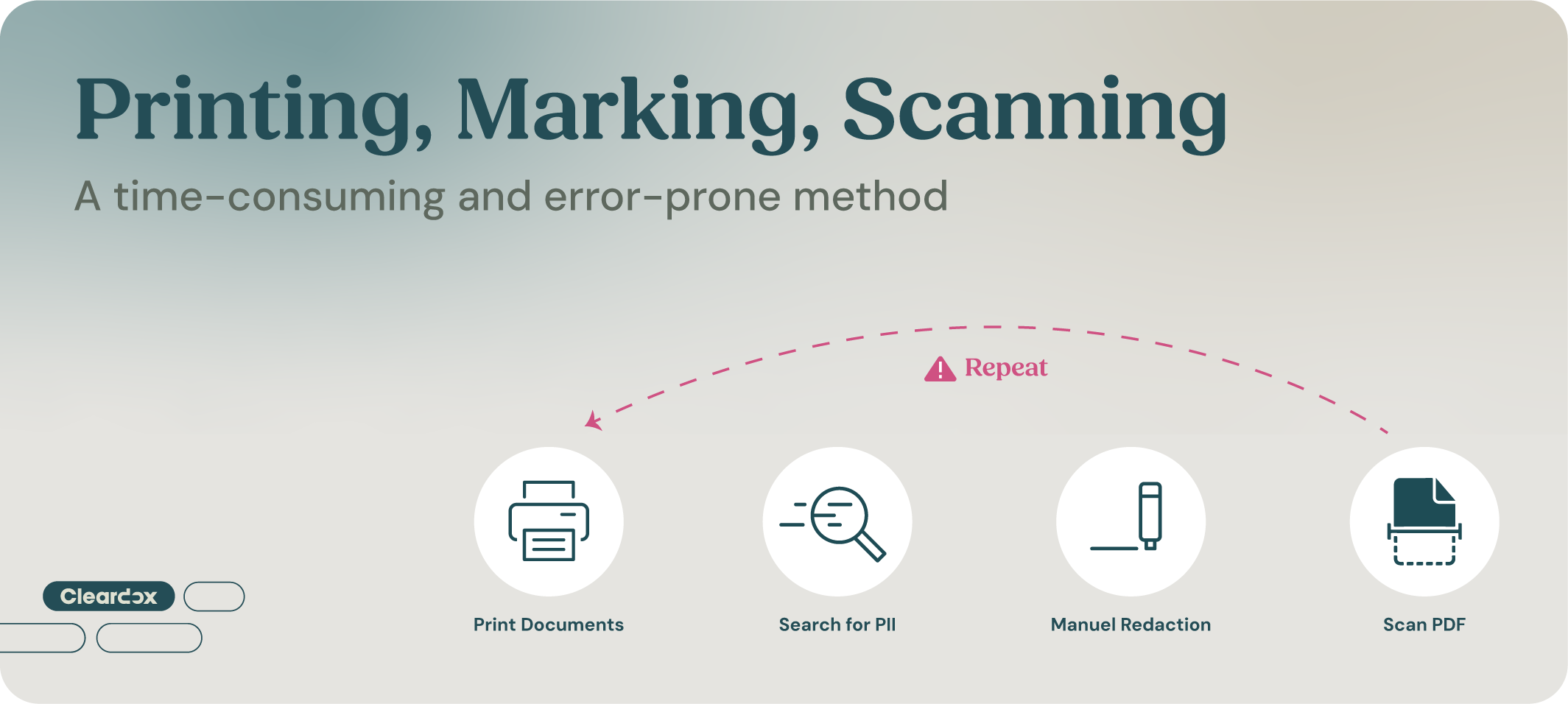
Another approach used by many compliance and redaction teams is fully manual redaction. This involves printing out all documents, which can easily involve cases spanning several thousand pages, marking sensitive information by hand with a black marker, and then scanning the documents back into the computer. Some teams even repeat this process - printing and scanning again - to ensure that the first layer of black marker cannot be seen through.
This manual process is extremely time-consuming, tiring, and stressful for employees responsible for redaction. It is also prone to human error, but is often used because the content is highly sensitive.
Some organizations combine methods by placing black boxes in a PDF editor, then printing and scanning again to ensure that sensitive text cannot be accessed. Both of these approaches can be effective of secure redaction only with extreme care, but both approaches use substantial paper and ink, making them less environmentally sustainable.
Hidden Text: The Invisible Compliance risk
In short, one of the greatest dangers in manual redaction is hidden or “invisible” text. Beyond the black box illusion, this can appear as:
- Annotations that hide text but do not remove it.
- White text on a white background, a common but insecure method to conceal information.
- Embedded metadata, including previous edits or tracked changes, which may reveal personal data.
Even if a document appears fully redacted, these hidden layers can allow confidential information to slip through - completely undermining the intention of the redaction and increasing risks to privacy, compliance, and organizational reputation.
Incomplete Anonymization of Epstein Files Exposed on Social Media
The Epstein Files illustrate the real-world consequences of incomplete redaction. Un-redacted text from released documents began circulating on social media, showing how even minor oversights can expose sensitive information.
Failing to fully anonymize documents can have serious consequences:
- Exposure of confidential or personal information
- Breach of GDPR or other privacy regulations
- Reputational damage for organizations handling sensitive data, and declining credibility
- Wasted time correcting redaction errors or repeating manual processes
High-profile cases like the Epstein Files demonstrate the need for reliable, secure tools that prevent such risks.
Automated Redaction: A Safer and More Effective Method
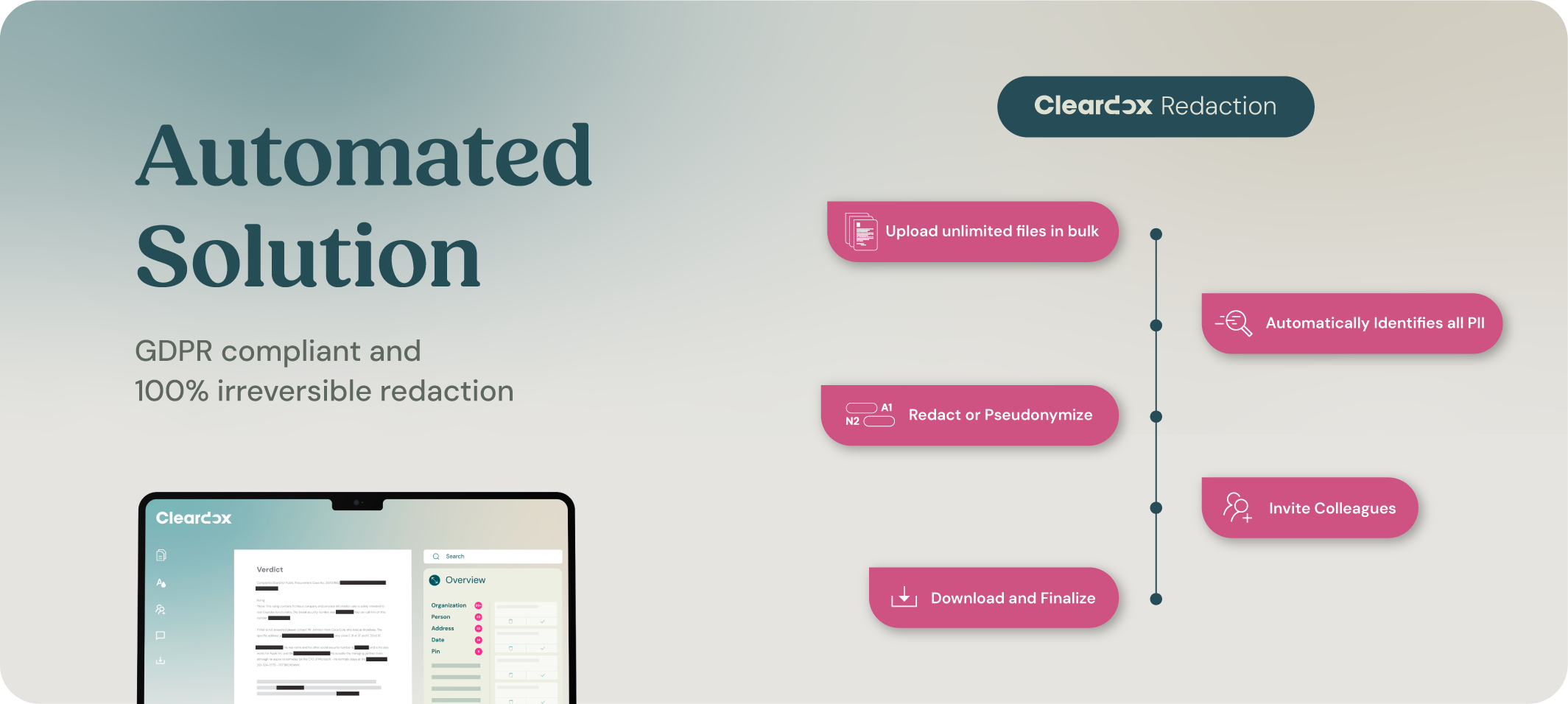
Automated redaction tools, such as Cleardox Redact, provide a solution to the limitations of manual methods. Sensitive data is first automatically identified across 20+ categories, including OCR processing of scanned documents, and Cleardox handles all file formats in which sensitive information may occur.
(OCR recognizes text in images and scanned documents, creating searchable content.)
Once identified, sensitive data is permanently removed using advanced AI-driven pattern recognition. Redaction and pseudonymization are 100% irreversible, leaving no trace of the original content. Cleardox also removes all metadata and hidden layers, ensuring that no residual information remains that could compromise privacy.
Key Cleardox features include:
- Irreversible anonymization: Sensitive content is fully removed, not just hidden.
- Hidden text detection: Annotations, white text, and embedded layers are identified, highlighted for the user, and can be properly redacted.
- Metadata removal: All embedded metadata and edit history are stripped, preventing accidental disclosure.
- Visual verification: Redactions can be reviewed visually, and colleagues can collaborate on redacting or reviewing documents simultaneously.
- Bulk Redaction: Multiple documents can be uploaded and processed at the same time, and several cases can be handled simultaneously, saving time on repetitive tasks without compromising accuracy.
- Environmentally friendly: By eliminating the need for printing and rescanning documents, Cleardox Redact reduces paper and ink usage, supporting more sustainable workflows.
This approach allows organizations to protect sensitive information while saving significant time and reducing human error.
Why the Right Anonymization Tool Matters
Organizations managing sensitive legal, financial, or personal data cannot rely solely on traditional redaction methods. Manual processes are error-prone, slow, stressful for employees, and often insufficient for compliance standards. By using a secure redaction solution like Cleardox, teams can:
- Ensure complete, secure, and 100% irreversible anonymization
- Detect and remove hidden text that manual methods often miss
- Reduce the risk of privacy breaches and regulatory violations
- Streamline workflows and save time on repetitive tasks
The lessons from the Epstein Files underscore the importance of reliable tools: without the right technology, even well-intentioned manual redaction can leave sensitive data exposed.
Conclusion
The Epstein Files demonstrate that manual redaction, while widely used, is not always sufficient to protect sensitive data. Hidden text, black box illusions, and metadata can all allow confidential information to slip through. Solutions like Cleardox Redact provide a secure, automated alternative, ensuring complete anonymization and compliance while saving time and reducing errors.
By adopting a secure and effective redaction solution, organizations can safeguard sensitive information, protect privacy, and focus on their core work - without the hidden risks of manual methods.
Interested in trying Cleardox?
Get a live demo and 14 day free trial here.
What do the Epstein files reveal about the risks of manual anonymization?

The Epstein files show that even documents that appear to be correctly anonymized may still contain sensitive information that can be reconstructed or revealed. This typically happens when anonymization is only visual (e.g. black boxes) and does not remove the underlying content. The case therefore illustrates that manual anonymization is not always sufficient to protect confidential data.
Why can black boxes in PDF documents still expose hidden text?
Black boxes often only cover the text visually, but do not remove it from the actual PDF structure. This means the text may still exist within the file and, in some cases, can be copied, extracted, or recovered using simple methods. This is therefore one of the most common mistakes in manual anonymization.
What is hidden text, and why is it a compliance risk?
Hidden text is information that is not visible in the normal view of a document but still exists in the file’s underlying data. This can include white text, previous versions, comments, or text covered by graphical elements. It is a compliance risk because sensitive information may still be accessible, potentially leading to GDPR violations or other regulatory breaches.
Why is the print–scan method still risky despite manual control?
The print–scan method removes many digital traces, but it is still not 100% secure. Modern technologies such as OCR can sometimes reconstruct text from scanned documents, and human error can still occur during the process. Additionally, the method is time-consuming and difficult to scale for large volumes of documents.
What consequences can incomplete redaction have in high-profile cases like Epstein?
Incomplete redaction can lead to serious consequences such as the exposure of sensitive information, loss of trust, and potential legal violations. In high-profile cases like Epstein, even small mistakes can quickly receive significant public and media attention, amplifying the damage for both the individuals involved and the organizations handling the documents.


